

Choosing the Right Desk Depth for Monitors, Laptops and Paperwork
Choosing the right desk depth starts with understanding how you work each day. A depth of 70–80 cm suits most home office setups with a monitor, keyboard and paperwork, while compact laptop use may only require 60 cm. Before buying, measure your equipment, check monitor positioning, allow space for cables and paperwork, and test the layout on an existing table. Also consider legroom, chair movement and room dimensions so your desk provides a comfortable, practical workspace for long-term daily use.
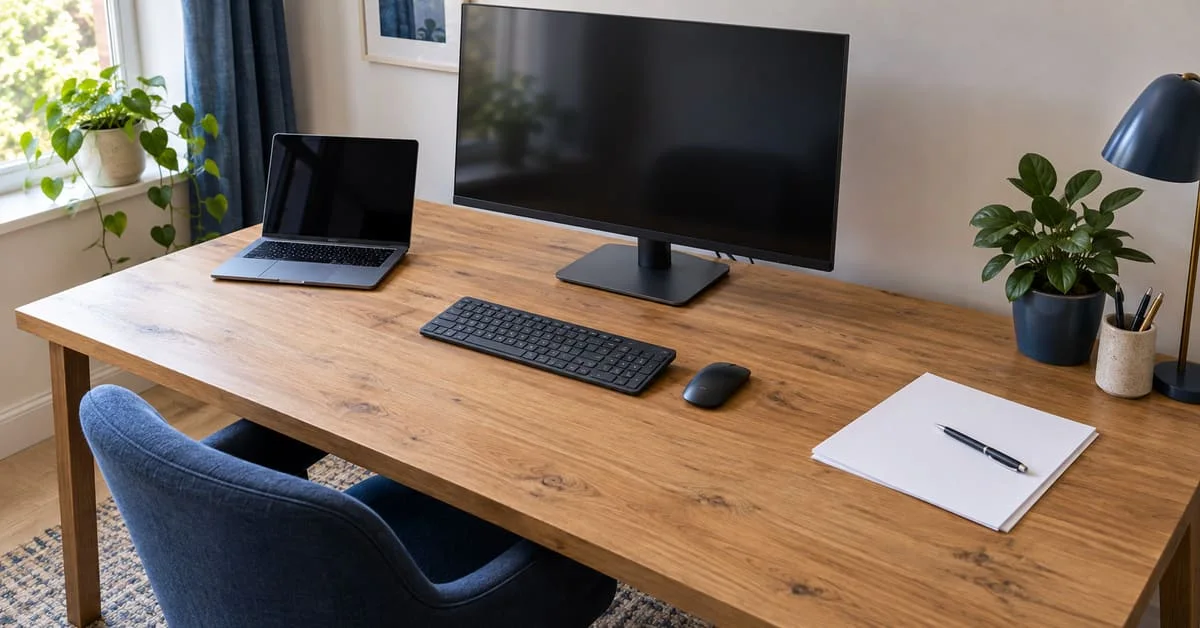
For a home office combining a monitor, keyboard and paperwork, 70–80 cm is a sensible desk depth to test first. A simple laptop setup may fit comfortably on 60 cm, while a large monitor stand or several open documents can justify more space. These are planning starting points: your equipment and seated position determine the final choice.
Measure depth from the front edge to the back of the desktop. Then check whether that space accommodates how you actually work, including the notebook you open during calls and the cables behind your screen.
Match desk depth to your everyday setup
Use these ranges to narrow your search before testing a layout with your own equipment.
A deeper desktop provides flexibility, but extra depth is useful only if you can arrange equipment comfortably and still move around the room.
Allow for the monitor stand and viewing position
Start with the screen roughly an arm’s length from your eyes, directly ahead, with its top around eye level. Adjust its position and text size until you can read comfortably while sitting back in your chair.
Desk depth and viewing distance are different measurements. Your eyes sit behind the desk’s front edge, while the display usually sits forward of its rear edge. A 70 cm desktop therefore does not automatically put the screen 70 cm from your eyes.
Measure the complete stand, including any feet projecting towards the keyboard. Two monitors with the same screen size can occupy very different amounts of desktop space. Large or curved displays also deserve a trial arrangement before you order.
A monitor arm can release the area occupied by a stand. Check the desktop’s thickness, the clamp’s requirements and any rail underneath. Some arms need space behind the desk when folded, so they may prevent it sitting close to a wall.
Plan laptop depth around your typing arrangement
For occasional use, measure the laptop with its lid open at your usual angle. Include any rear cable connections and leave enough space to position your hands comfortably.
For prolonged work, a raised laptop with a separate keyboard and mouse changes the calculation. The stand occupies the rear of the desk, while the keyboard needs its own usable area in front. Allow space ahead of the keyboard to rest your hands between typing sessions.
Test the actual stand rather than assuming that elevating a laptop saves depth. If you use an external monitor and keep the laptop beside it, check the total width as well.
Reserve a usable area for paperwork
An A4 sheet measures 21 × 29.7 cm. Placed lengthways in front of you, it needs nearly 30 cm of depth before you allow for your hand, a folder or the keyboard behind it.
Decide whether you write while typing or alternate between the two. For frequent handwritten notes, a clear area beside the keyboard often works better than pushing the keyboard backwards whenever you need a pen. This makes desk width part of the decision.
If you mainly read documents while typing, consider a document holder near the screen. Measure its base too. Store completed paperwork elsewhere so your chosen depth supports current tasks without becoming a permanent filing area.
Test the layout before choosing dimensions
A short trial on an existing table is more revealing than comparing furniture photographs.
Mark the proposed desktop. Use masking tape to outline both its width and depth. Treat anything outside that boundary as unavailable.
Arrange a normal working day. Include your screen, keyboard, mouse, open notebook and charging connections. Position the chair as you would use it.
Try your usual tasks. Type, move the mouse, read small text and write notes. Notice whether anything forces you to reach forward or lean towards the screen.
Check the room separately. Allow for skirting boards, plugs, cable bends and any monitor arm behind the desk. Test chair movement and drawer opening space.
Also inspect the space underneath. A rear panel or drawer unit can restrict your knees and feet even when the desktop looks generous. Confirm the desk height and chair fit alongside the depth; one suitable measurement cannot compensate for another that prevents a comfortable position.
Check the listed depth and discuss bespoke sizes
When browsing Woodlands Furniture’s home office desks, compare the full dimensions before choosing a design.
For example, the Diana solid pine six-drawer office desk is listed as 140 cm wide and 43 cm deep. Its width offers space for arranging items side by side, but the shallow depth needs a careful equipment check.
The Cambridge two-drawer office desk lists two deep drawers, with overall dimensions of 94 cm wide and 40 cm deep. This illustrates why drawer descriptions and desktop measurements need separate attention when checking a compact design.
Both pages advertise a bespoke service. Discuss your tested depth, overall height and required legroom before ordering, and confirm the agreed dimensions and price.
Frequently asked questions
Is a 60 cm deep desk enough for a 27 inch monitor?
It can be, depending on the stand and your viewing position. Check that the keyboard fits comfortably in front and that you can read the screen while sitting back. Screen size alone cannot settle the choice.
Do two monitors need twice the desk depth?
No. They mainly increase width requirements. However, angled screens and their stands can project further forward, so measure the complete arrangement rather than doubling a single monitor’s dimensions.
Can a keyboard tray make a shallow desk work?
It may free desktop space, but it must position the keyboard and mouse comfortably and leave sufficient thigh clearance. Check its height and stability before relying on it to solve a depth problem.
How do you measure depth on a corner desk?
Measure from the edge where you sit towards the screen’s intended position. Check the usable surface along that line; the desk’s overall corner dimensions may overstate the space available at your seat.
Does the listed desk depth include handles?
Confirm this with the retailer. Ask for both the usable desktop depth and the total projection of the furniture, including handles, particularly when fitting a desk into an alcove or beside a doorway.